Facebook Video To Audio Converter
Choose the Right Audio Tool for Your Facebook Clip
From quick voice extraction to full audio cleanup, pick a style that matches how you plan to use the sound from your Facebook video.
Why Use gloglo for Facebook Audio Extraction
Built for creators who need clean sound without a steep learning curve. gloglo handles the technical side so you can focus on using the audio.
One Tap Audio Isolation
Drop your Facebook video into gloglo and let the AI separate the audio track from the visuals. No timelines, no trimming, no frustration.
One Tap Audio Isolation
Drop your Facebook video into gloglo and let the AI separate the audio track from the visuals. No timelines, no trimming, no frustration.
Clean MP3 Export
Save extracted audio as a high quality MP3 file directly to your phone. Perfect for voice notes, background music, or repurposing content.
Clean MP3 Export
Save extracted audio as a high quality MP3 file directly to your phone. Perfect for voice notes, background music, or repurposing content.
Fast Mobile Processing
Convert Facebook videos to audio right on your device. No uploads to shady websites and no waiting for desktop renders to finish.
Fast Mobile Processing
Convert Facebook videos to audio right on your device. No uploads to shady websites and no waiting for desktop renders to finish.
Clip, Extract, and Reuse Facebook Audio
See how creators turn Facebook livestreams, reels, and shared clips into usable audio files. From podcast intros to royalty free sound effects, gloglo gives you full control over the sound inside any video.
Why Not Use a Random Website Converter?
Online converters are slow, filled with ads, and often compress your audio into a muddy mess. Worse, uploading personal Facebook videos to unknown servers is a privacy risk. gloglo keeps everything on your phone and uses AI to deliver clearer, fuller sound than a basic browser ripper ever could.
How to Convert Facebook Video to Audio
Turn any Facebook clip into a clean audio file in three simple steps. No desktop needed and no confusing export settings.
Step 01.
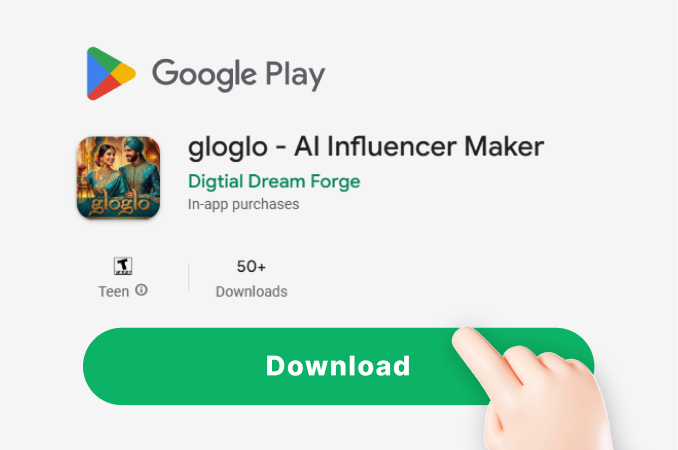
Download the gloglo app from Google Play and open the audio conversion tool on your phone.
Step 02.
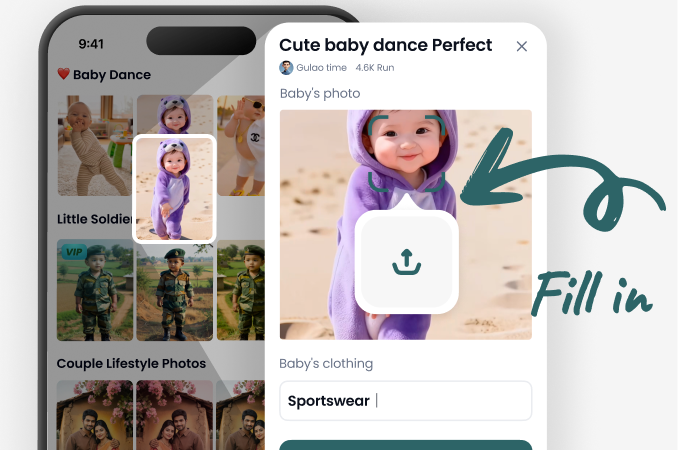
Save the Facebook video to your camera roll, then upload it into gloglo. The AI automatically isolates the audio track.
Step 03.
Preview the extracted sound, trim it if needed, and export a clean MP3 file directly to your device.
Turn Facebook Reels into Podcast Clips
Extract the original audio from trending Facebook reels and rework it into intros, sound bites, or remixes. gloglo gives you the clean source audio you need to build better content.

Frequently Asked Questions
Quick answers about converting Facebook video to audio with gloglo on your mobile device.
More Topics You May Like
Explore more ways to use gloglo for your creative video and audio projects.
Remove Filters from Saved Snapchat Videos with AI

AI Parody Maker - AI Powered Creative Tool | gloglo

See Your Future Self: AI Age Photo Editor Online
VHS Photo Filter: Add Retro Camcorder Grain to Photos
Remove Filters from Saved Snapchat Videos with AI
AI Parody Maker - AI Powered Creative Tool | gloglo
See Your Future Self: AI Age Photo Editor Online
VHS Photo Filter: Add Retro Camcorder Grain to Photos
Ready to Extract Clean Audio from Facebook?
Download gloglo from Google Play and turn any Facebook video into a crisp, usable MP3 in seconds. Your next great audio clip is already inside a video you have saved.

Ready to Extract Clean Audio from Facebook?
Download gloglo from Google Play and turn any Facebook video into a crisp, usable MP3 in seconds. Your next great audio clip is already inside a video you have saved.